
Electricians
Safety First. Calls Second.
AI receptionist trained on electrical safety, emergency prioritization, and service protocols
You can't answer the phone while working with live wires. Dyna captures emergency calls, qualifies routine service requests, and schedules qualified leads—so you stay focused on the job and your safety.
Why Electricians Professionals Need a Better Answering Solution
Traditional options fall short for businesses like yours.
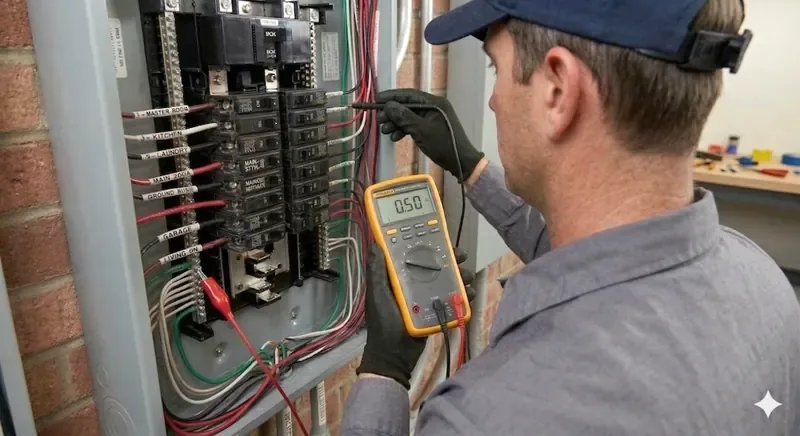
Emergency Calls While Working With Live Wires
A customer's home panel catches fire or a commercial electrical system goes down. Your phone rings but you can't answer—you're in a dangerous situation that demands your full attention. That emergency call goes to voicemail, costing you the job and your customer's trust.
Customer Impatience on Hold
Customers waiting for a callback expect fast service. Your team is busy on-site. Each customer who can't reach you immediately assumes you're ignoring them, even if you're handling a bigger job down the street. They call a competitor instead.
Lost After-Hours Service Calls
Emergency electrical issues happen at night and on weekends. Many electrical problems can't wait until Monday. Voicemail captures no details about the job, no way to triage severity, and no way to schedule a callback slot before your day fills up.
How Dyna Works for Electricians
Dyna is trained on your business and handles the calls you can't.
Never Miss an Emergency Call
Dyna answers your phone 24/7—including after-hours emergencies when you're unavailable. It captures full incident details: caller name, location, description of the electrical issue, and contact information. You get an instant push notification and email with everything the caller reported.
Recognize Emergency Keywords & Prioritize
Dyna can be trained to recognize urgency keywords like 'power out', 'sparking', 'burning smell', 'panel failure'. When emergency language is detected, Dyna sends you immediate priority alerts so you can triage by severity and dispatch fastest service where it matters most.
Schedule Service Appointments 24/7
Dyna integrates with your calendar to book service appointments directly. Customers confirm time slots and the job is written to your calendar before the call ends, so your calendar sends the invitation with your address exactly as it does today. Your calendar stays synchronized and you avoid double bookings.
Train Dyna on Your Services & Areas
You upload details about your services (residential, commercial, emergency response), service areas (zip codes or radius), and typical response times. Dyna qualifies callers and routes them appropriately, avoiding out-of-service-area callbacks.
What Dyna Handles for Electricians Businesses
Electricians FAQ
Common questions from electricians professionals.
How does Dyna recognize and prioritize emergencies?+
You train Dyna to listen for emergency keywords like 'power outage', 'sparking', 'burning smell', 'panel failure', 'live wire'. When it hears one, Dyna stops taking a message and warm-transfers the caller straight to your on-call electrician—announcing what the emergency is before it connects, so whoever answers already knows. If nobody picks up, Dyna takes the details rather than dumping the caller to voicemail, and the call is pushed to your phone and emailed immediately with the address, the problem, and their number.
Can Dyna schedule service appointments?+
Yes. Dyna integrates with your calendar to book appointments directly. Callers confirm their preferred time and Dyna blocks your calendar, so the job is on your schedule before the call ends. Your calendar sends the invitation it normally would—we do not text the customer separately.
How does Dyna route residential vs. commercial jobs?+
Dyna asks a qualifying question: 'Is this a residential home or commercial building?' You can set up routing so residential calls go to one team and commercial to another, or schedule them separately. This ensures the right crew is assigned to the right job type.
Can Dyna confirm we service that area?+
Yes. You set your service area (zip codes or a mile radius from your office). Dyna asks callers for their address and confirms whether you service it. Out-of-area callers are handled gracefully, and you avoid wasted trip costs and callbacks outside your service zone.
Does Dyna answer calls 24/7, even when I'm working?+
Yes. Dyna runs independently 24/7. When you're on a job site and can't safely answer (working with live circuits, for example), Dyna captures every call with full details and sends you instant alerts. You decide when to call back based on priority—emergencies first, routine quotes during business hours.
Stay Safe on the Job. Let Dyna Handle the Phone.
Get your own AI receptionist — trained on your electricians business, ready in minutes, and available 24/7. Plans start at $59/month.
Start Your Free TrialNo contracts. Cancel anytime.
Related Industries
Questions about Dyna for electricians?